

An owner reports receiving the update on an unlocked handset, while others are still waiting. Early feedback also raises questions about app settings and the cover-screen clock.
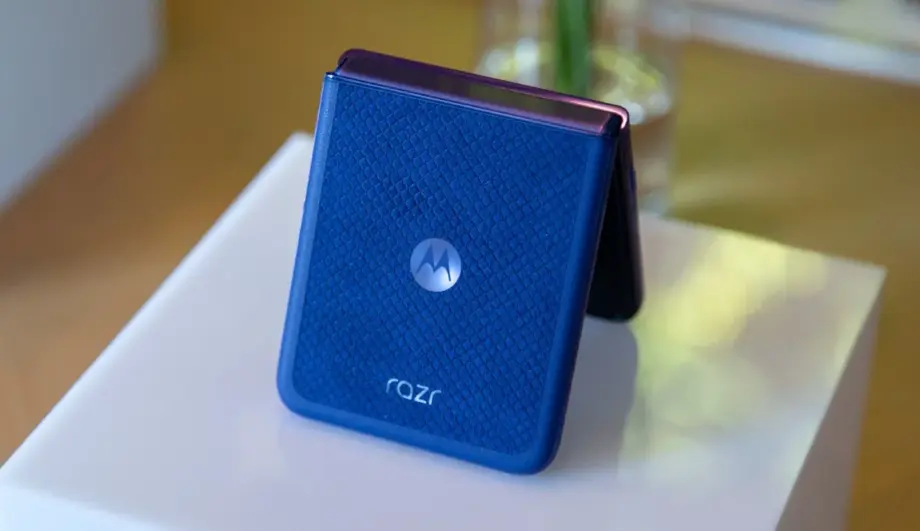
Android 17 appears to be reaching some Motorola Razr Ultra 2025 owners in the United States, according to an early user report.
In an October 20 Reddit post, an owner in the northeastern US said their phone updated overnight. They identified the handset as an unlocked AT&T model running on US Mobile. Other participants with the same phone said they had not yet received the update, indicating that availability remains uneven.
The device is also sold as the Razr 60 Ultra outside North America. The reported update carries build number A171VLH.48-18-7. TechLayers has not independently installed or verified that build.
What Motorola’s Android 17 software introduces
Motorola’s official Android 17 guide describes several changes to home-screen organisation and notifications.
Stackable widgets allow multiple widgets to occupy one space, with a swipe switching between them. The software also supports themed icons and an option to hide Quick Settings labels when using the Classic layout.
For notifications, Motorola lists Live Updates, which keep ongoing information in a single updating notification, and summaries that condense lengthy messaging conversations. It also describes quieter grouping for lower-priority automated alerts.
These are features documented for Motorola’s broader Android 17 software. They should not be treated as independent confirmation that every feature is present on every regional Razr build.
For owners, the useful question is which changes improve everyday tasks. Widget stacks could reduce home-screen clutter, while notification summaries could make busy conversations easier to scan. Their practical value will depend on implementation and individual usage.
One owner reports unwanted changes after installation
The original poster said TikTok appeared after the update and that Moto AI had been reactivated without their approval. They also reported that the cover-screen clock extended into the camera area, making it harder to read.
These are individual observations, not confirmed behaviour across the rollout. The available evidence does not establish whether the app and setting changes originated with the operating-system update, carrier configuration or another process.
That distinction matters: an unexpected change on one handset is worth investigating, but it does not demonstrate that every owner will encounter it.
What does this mean for Razr 60 Ultra owners in India?
The US report does not establish an Indian release date or worldwide availability.
Motorola provides a software-upgrade portal that asks users where their device was purchased. Owners should check information for their own market and handset rather than assume that another region’s release applies to them.
How to check for the update
Open Settings → System updates → Check for updates. Menu wording may vary by software version.
Before installation, back up important files and read the update notice. Afterwards, review installed apps, assistant preferences and the cover-screen layout.
If something changes unexpectedly, record the build number and take screenshots before adjusting settings. Those details make a support report more useful than a general complaint that the update changed the phone.