

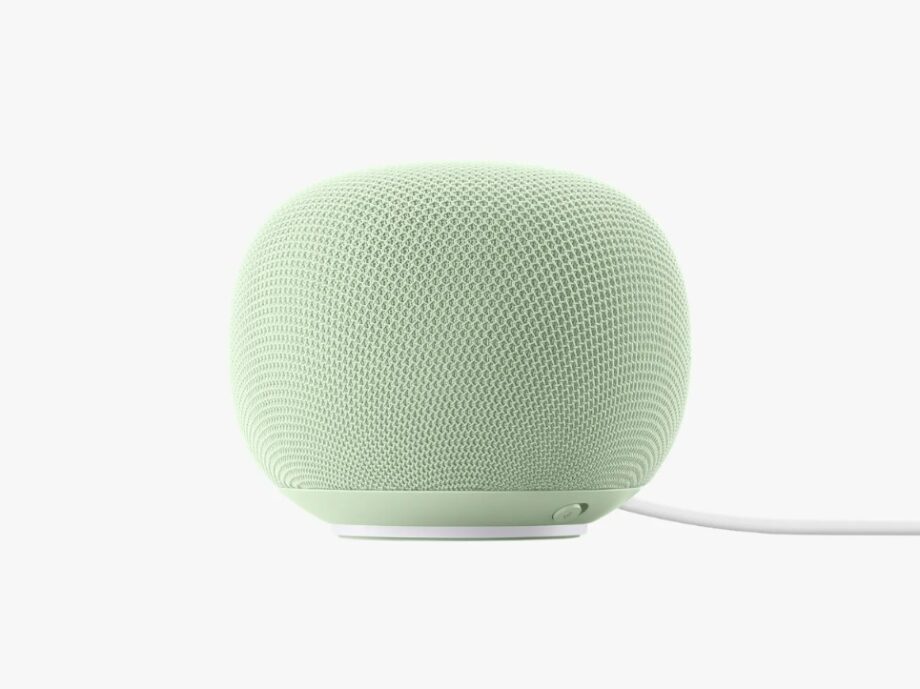
Google says it has resolved a problem that caused some speakers to repeatedly download an update. The incident highlights why households should check which devices use their broadband allowance.
A smart speaker consuming unusually large amounts of internet data may be experiencing a software problem rather than simply responding to everyday requests.
Some Google Home Speaker owners reported excessive background downloads in October. Google subsequently told TechLayers that a server misconfiguration had caused affected speakers to repeatedly download a software update and that the issue had been resolved. The statement concerned some devices, not every Google smart speaker.
Earlier coverage by 9to5Google documented user reports of unusually high consumption and Google’s acknowledgement that a fix was rolling out. Individual usage reports describe particular households; they do not establish how frequently the problem occurred.
For households with broadband data allowances or fair-usage thresholds, the practical lesson is straightforward: check device-level traffic before assuming that streaming, gaming or a family member caused an unexpected increase.
Data usage and Wi-Fi speed are different measurements
A device can transfer a large amount of data over several days without continuously saturating a connection.
Data usage measures the volume transferred, usually in gigabytes or terabytes. Connection speed measures how quickly data moves, commonly in megabits per second.
For example, a hypothetical device downloading 100 GB evenly over 24 hours would average approximately 9.3 Mbps, excluding overhead. That could materially affect a slower connection while being less noticeable on a faster one.
Wi-Fi signal quality is another issue again. High monthly usage does not prove that a device caused weak coverage, interference or every slowdown in the home.
Start with the broadband provider’s usage meter
Open your internet provider’s official app or account portal and check:
- The current billing period.
- Total usage and any applicable allowance.
- Whether uploads and downloads both count.
- Daily changes, if available.
- Any fair-usage speed threshold.
For readers in India, an “unlimited” plan may still have conditions worth checking in the provider’s published terms. Use the allowance and billing dates for your particular connection.
Save a screenshot before changing settings. A record of when usage rose will help if you need support.
Your provider may show only the household total. Device attribution, where available, may require a compatible managed gateway or router.
Find the busiest device in your router
Use your router’s official app or its documented local administration address. Look for features named Traffic Usage, Traffic Analyzer, Statistics or similar.
Availability depends on the model, firmware and sometimes subscription tier. A list of connected devices is not necessarily a historical usage report.
| Router feature | What it can help establish |
|---|---|
| Connected-device list | Which clients the router recognises |
| Live transfer rate | Which device is transferring data now |
| Historical device usage | Which clients accumulated traffic over time |
| Internet/WAN meter | Traffic crossing the broadband connection |
| Local network statistics | Transfers within the home network |
Check what the selected counter measures before comparing it with a broadband bill. Local transfers may not count towards an internet allowance, and reporting periods may differ.
TP-Link Deco and Tether
TP-Link documents two routes on supported devices:
- Network → Traffic Usage
- Network → Clients → Select a device → Traffic Usage
Check the instructions for your exact model if these options are absent.
ASUS routers
Supported ASUS interfaces include traffic-monitoring tools, while Traffic Analyzer can provide client-level analysis on compatible equipment. ASUS notes that functionality varies by model and firmware.
Do not assume every router from another manufacturer lacks device-level reporting. Check the specific product documentation before buying replacement hardware.
Confirm the identity before blaming a device
Router labels can be confusing. A generic name, manufacturer label or unfamiliar hostname is not sufficient evidence that a particular appliance transferred the data.
Compare the router entry with information available in the device’s settings or companion app. Rename confirmed clients clearly—for example, “Kitchen speaker” or “Study television.”
For a nonessential device, temporarily disconnecting it and observing which client disappears can help establish its identity. Make one change at a time.
Avoid interrupting smoke alarms, medical equipment or other safety-related devices simply to investigate a traffic label. Follow their manufacturer’s support guidance.
An unfamiliar name alone also does not prove that an unauthorised person has joined the network.
Measure new usage after a reported fix
Historical counters can continue showing a large total even after a bug has stopped.
Record the suspect device’s usage and the time, then compare the increase over a consistent observation period. Look at new traffic, not just the accumulated monthly figure.
If unusually heavy downloading continues:
- Save the device-level readings and timestamps.
- Check the manufacturer’s official update and support instructions.
- Record the model and firmware version where available.
- Contact support with the evidence.
- If necessary, temporarily disconnect a nonessential device while investigating.
Do not interrupt an update that the device indicates is actively installing. Avoid a factory reset as the first response, because it removes configuration and may complicate troubleshooting.
Compare router and provider readings carefully
The two meters may not match exactly.
Potential reasons include different date ranges, delayed reporting, upload accounting, units and whether the router includes local traffic. A device counter may also have restarted after a reboot.
Use comparable time windows and treat discrepancies as something to investigate rather than proof that either meter is wrong.
If you believe a confirmed fault exhausted your allowance, keep the records when contacting the provider and manufacturer. A credit or reimbursement is not automatic.
Make monitoring a small maintenance habit
A periodic review can reveal an update loop or an unexpected change before it consumes much of a capped allowance.
Keep an inventory of connected devices, give recognised clients meaningful names and enable usage alerts where your equipment supports them. No single usage figure is normal for every smart-home product: a cloud camera and a lightly used speaker perform very different jobs.
Google’s reported fix addresses this particular incident. For the wider smart home, the useful habit is to identify the device, verify the measurement and check whether the traffic continues before drawing conclusions.