

The Android 17-based update includes the October 2026 security patch, with availability expected to vary between devices.
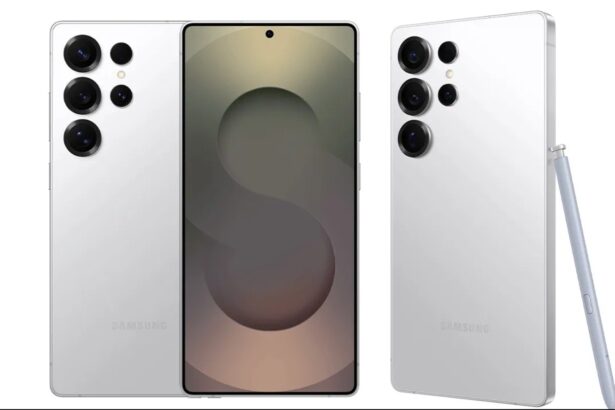
Samsung is reportedly expanding its stable One UI 9 rollout to four more Galaxy smartphones in India. The Galaxy M56, Galaxy M17, Galaxy F17 and Galaxy A35 are receiving the Android 17-based software, according to published rollout reports.
The update brings the October 2026 security patch alongside changes to Samsung’s interface and customisation options.
However, a rollout beginning for a particular model does not mean every owner will receive it immediately. Availability can differ by regional firmware, network configuration and the phone’s existing software.
Reported One UI 9 Firmware Versions
The following builds and approximate download sizes have been reported for Indian devices:
| Smartphone | Reported firmware version | Approximate download |
|---|---|---|
| Galaxy M56 | M566BXXU7DZJ1 | 2.2GB |
| Galaxy M17 | M176BXXU8DZJ5 | 2.44GB |
| Galaxy F17 | E176BXXU8DZJ5 | 2.44GB |
| Galaxy A35 | A356EXXUBEZJ2 | 2.7GB |
These figures should be treated as identifiers for the reported update packages, rather than universal download sizes. A phone running a different previous build may receive a package of a different size.
The releases reportedly include the October 2026 Android security patch.
What Does One UI 9 Change?
One UI 9 moves these Galaxy devices to Android 17 and introduces changes to the interface, supported system features and personalisation options.
The update includes additional Quick Panel customisation, alongside privacy and device-protection improvements.
Owners should check the changelog displayed on their own phone for the precise feature list. Features advertised for Samsung’s flagship devices should not automatically be assumed to appear on every Galaxy A, M or F-series model.
Hardware requirements and regional availability can affect which functions are included.
How to Check for the Update
Owners of the Galaxy M56, Galaxy M17, Galaxy F17 and Galaxy A35 can check manually:
- Open Settings.
- Select Software update.
- Tap Download and install.
- If an update appears, review its version, size and changelog.
- Follow the instructions shown on the phone.
Use a reliable Wi-Fi connection for the download and ensure the handset has sufficient battery charge and free storage.
Backing up important files before a major operating-system upgrade is also a sensible precaution.
Why Hasn’t the Update Appeared on My Phone?
A missing update notification does not necessarily mean a device has been excluded.
Samsung distributes software in stages, and two phones with the same retail name may use different regional or network firmware. Their update timing can therefore differ.
If the update is unavailable, check again later through the same Settings menu. The current reports do not establish a deadline by which every Indian unit will receive it.
There is no need to factory-reset a working phone simply because an update has not appeared.
Check the Installed Version After Updating
After installation, open Settings → About phone → Software information to check the One UI version, Android version, build number and Android security patch level.
Checking these fields separately helps distinguish a major operating-system upgrade from a smaller security update. The download size alone does not establish which software version has been installed.
Samsung’s Wider Rollout Continues
Samsung began expanding One UI 9 to the Galaxy S26 series in September. The latest reports indicate that the upgrade is now reaching more affordable devices across its Galaxy portfolio.
For owners of the four models covered here, the most useful confirmation remains the update screen on their own handset. It provides the package intended for that device and the accompanying list of changes.