

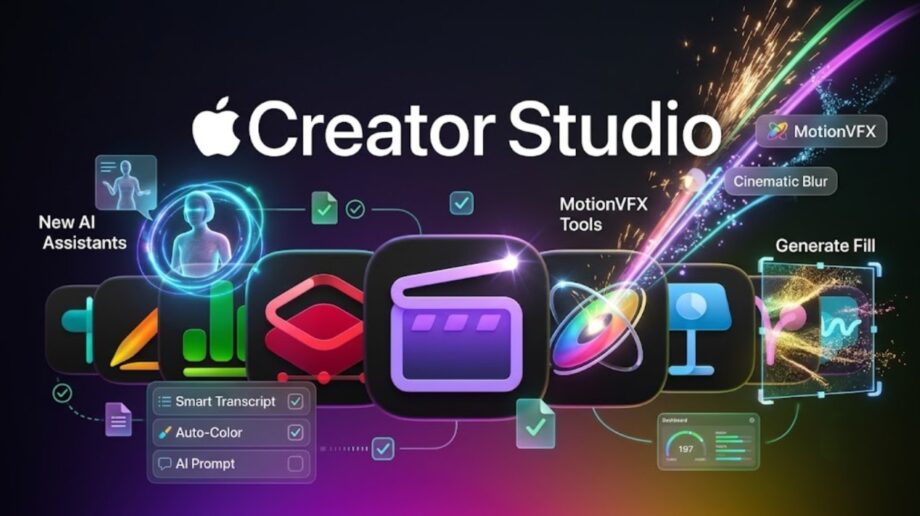
The November update expands Apple’s creative subscription with new editing tools and AI assistance. India pricing remains ₹399 per month.
Apple has announced an update to Creator Studio that brings AI assistants, additional video effects and prompt-based image editing to its collection of creative apps.
Unveiled on October 27, the update covers Final Cut Pro, Logic Pro, Pixelmator Pro and Apple’s productivity apps. Existing subscribers will receive the new features through an App Store update in November, although availability will depend on the app, device and software version.
The announcement brings two kinds of improvements: tools that help users create or modify content, and workflow changes intended to reduce the steps between apps.
Apple Creator Studio Price in India
Apple Creator Studio costs ₹399 per month or ₹3,999 per year in India. Eligible college students and educators can access discounted subscriptions.
| Subscription | Monthly price | Annual price |
|---|---|---|
| Standard | ₹399 | ₹3,999 |
| Education | ₹199 | ₹1,999 |
At those prices, the standard annual plan costs ₹789 less than paying monthly for 12 months. The education annual plan saves ₹389 over the equivalent monthly payments.
Apple offers a one-month trial for new subscribers. Customers buying a new Mac or qualifying iPad may receive three months of access, subject to eligibility and offer terms.
Final Cut Pro Gains MotionVFX Tools
Final Cut Pro for Mac will integrate MotionVFX assets, including titles, transitions, templates, motion graphics and visual effects. The collection also includes tools for tracking, rotoscoping and colour grading.
Apple is expanding the Content Hub with curated stock videos, photographs and backgrounds.
For editors, the practical benefit is access to more production assets within the editing environment. Whether those additions replace an existing effects subscription will depend on the specific assets and tools a project requires.
Another workflow change connects Final Cut Pro more closely with Pixelmator Pro. Editors will be able to open an image from the video timeline, make changes in Pixelmator Pro and save it back into the project without manually importing the edited file again.
Motion also gains integrated MotionVFX plug-ins, while Compressor adds encoding support for Cinematic mode footage captured on the iPhone 18 Pro and iPhone Duo.
Pixelmator Pro Introduces Generate Fill
Generate Fill will let Pixelmator Pro users select part of an image and describe the change they want using natural language.
The feature could simplify local edits that otherwise require several manual steps. However, generated results still need inspection, particularly around object edges, textures and areas where visual accuracy matters.
For publishers and commercial creators, the availability of a generation tool should not be treated as automatic clearance for every resulting image. Normal checks involving likenesses, trademarks and source material still apply.
Logic Pro Adds a Beta AI Assistant
Logic Pro for Mac will receive an assistant built using Apple models and OpenAI technology.
Apple says it can help users navigate production tasks, begin a song, prepare a vocal track from a prompt and work on an existing project.
The Mac app also gains a redesigned Browser that brings sounds, loops, instruments and effect patches into a more unified interface.
An upgraded Stem Splitter adds options for isolating, replacing or adjusting drum parts without access to the original multitrack session. That could be useful when revisiting a stereo recording, although separation quality will need to be assessed with different material.
Keynote, Pages and Numbers Get Context-Aware Assistance
Apple is introducing beta assistants in its presentation, writing and spreadsheet apps.
| App | Announced assistance |
|---|---|
| Keynote | Designing, animating and refining presentations |
| Pages | Drafting, restructuring and editing text |
| Numbers | Calculations, data organisation and visualisation |
The apps will also support Model Context Protocol, or MCP, allowing compatible external AI tools to read content, make changes and automate actions.
The distinction matters: an assistant helps users work within an app, while MCP provides a connection through which external tools can interact with that app.
Users should still review generated text, spreadsheet calculations and automated edits before relying on them.
Check Compatibility Before Subscribing
The assistant features will initially be available in U.S. English.
Logic Pro’s beta assistant requires an Apple Intelligence-capable Mac running macOS 27 or later. The assistants in Keynote, Pages and Numbers require an Apple Intelligence-capable device running iOS 27, iPadOS 27 or macOS 27 or later.
MCP support in those productivity apps requires macOS 27 or later.
These requirements are separate from the requirements for running the underlying apps. Being able to install an app does not necessarily mean a device supports its new assistant.
Freeform Changes Arrive in Stages
Freeform will gain reusable text styles and additional board background colours.
Apple has scheduled further features for December, including image editing through Pixelmator Pro and the ability to generate editable shapes from text descriptions. Those additions should not be presented as part of November’s initial availability.
What the Update Means for Creators
The update may be most useful to subscribers who regularly move between video, image, music and document workflows. Integrated effects and direct image editing could reduce repetitive tasks, while the assistants offer another way to approach unfamiliar tools.
For prospective subscribers, compatibility is the first check. The next is whether the included features address their actual work: a broader bundle is valuable only when its tools earn a place in the production process.