

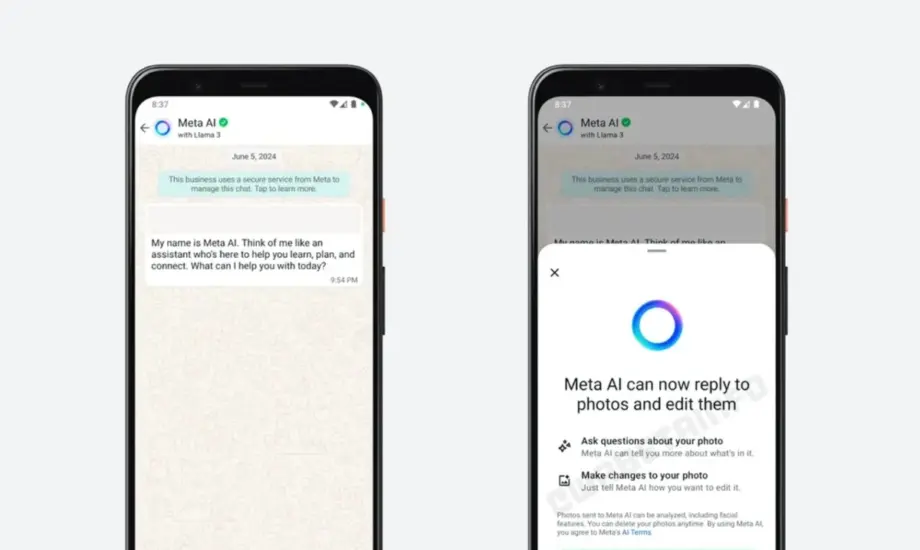
WhatsApp is reportedly rolling out a Meta AI-powered image expansion feature to select iPhone beta testers. The new tool can generate additional visual details around an existing photo, converting landscape or square images into a vertical 9:16 format for chats and Status updates without requiring a separate editing application.
WhatsApp is testing a new artificial intelligence feature that could make photo editing more convenient for iPhone users. The Meta-owned messaging platform is reportedly introducing an image expansion tool powered by Meta AI, allowing users to extend the boundaries of photographs before sharing them.
According to WhatsApp feature tracker WABetaInfo, the functionality has been spotted in WhatsApp beta for iOS version 26.44.10.16, distributed through Apple’s TestFlight programme.
The feature is designed to work directly within WhatsApp’s existing drawing editor.
After selecting a photo, eligible users can reportedly choose an expansion option that uses Meta AI to analyse the image and generate additional visual content around its edges.
The resulting image is intended to fit a vertical 9:16 aspect ratio, making it particularly useful for full-screen WhatsApp Status updates.
Users can review the AI-generated result before sharing it, return to the original image or request another version.
However, the feature is currently available only to selected beta testers, and WhatsApp has not announced a general public release date.
WhatsApp Meta AI Image Expansion Feature: What Is It?
The reported image expansion tool allows users to extend a photograph beyond its original boundaries using generative artificial intelligence.
Instead of simply cropping an existing image, Meta AI generates additional pixels and visual elements around the photo.
This process is commonly known as AI image outpainting.
For example, a landscape photograph may not fit neatly into a vertical Status frame.
Cropping it to a portrait format can remove important details from the left and right sides.
The new WhatsApp feature reportedly takes a different approach by generating additional content around the original image to produce a vertical composition.
This can preserve more of the original photo while filling the additional space with AI-generated imagery.
However, the new elements are synthetic and should not be mistaken for details actually captured by the camera.
The quality and accuracy of the result will depend on how Meta AI interprets the image.
WhatsApp Image Expansion Spotted in iOS Beta 26.44.10.16
WABetaInfo reports that the new feature is being introduced to some users running WhatsApp beta for iOS 26.44.10.16.
The beta is distributed through TestFlight, Apple’s platform for testing prerelease applications.
The feature tracker says image expansion is gradually being enabled for eligible accounts.
This means installing the specified beta build does not necessarily guarantee immediate access.
WhatsApp may enable the tool for different accounts at different times during the testing period.
There is also no confirmed schedule for a wider rollout.
The feature’s interface and final functionality may change as the company continues development.
How WhatsApp’s AI Image Expansion Works on iPhone
According to the report, image expansion is integrated into the drawing editor that WhatsApp displays when a user selects a photograph for sharing.
Eligible beta testers should be able to access the tool without opening a separate photo-editing application.
Expected Steps to Expand an Image Using Meta AI
- Open WhatsApp on an iPhone with access to the beta feature.
- Select an individual conversation, group chat or supported Status creation flow.
- Choose an existing photo from the device.
- Open or continue to WhatsApp’s drawing editor.
- Select the reported image expansion option.
- Allow Meta AI to generate additional content around the photo.
- Review the expanded image within the editor.
- Keep the result, undo the changes or generate another version.
- Share the image only after confirming the final edit.
These steps describe the functionality reported by WABetaInfo rather than a feature confirmed to be available on all iPhones.
The exact button placement, wording and interaction flow may change before a stable public release.
Meta AI Can Expand Photos Into Vertical 9:16 Format
A central feature of the new tool is its reported ability to generate images with a 9:16 aspect ratio.
This is a vertical image format commonly used for full-screen mobile content.
For instance, an image measuring 1080 × 1920 pixels has a 9:16 aspect ratio.
The ratio itself does not guarantee a particular output resolution, and WhatsApp has not confirmed the exact pixel dimensions of generated images in the supplied report.
The feature could be useful when converting landscape or square photographs into a portrait-friendly composition.
Why the 9:16 Format Matters
WhatsApp Status is commonly viewed vertically on smartphones.
When users upload a wide photograph, the image may not fill the available portrait-shaped viewing area without cropping or other adjustments.
AI expansion could provide an alternative by generating content around the original scene.
A square photo, for example, could be extended vertically to create a taller image.
Similarly, a landscape photo could be adapted for a portrait presentation while preserving more of its existing subjects.
However, the generated extensions may not always be visually accurate.
Users should inspect the finished image for distorted objects, inconsistent lighting or invented background details.
AI Expansion vs Traditional Image Cropping
The difference between cropping and expansion is important.
Cropping removes part of an image to fit a selected frame.
AI expansion attempts to create new content outside the original image boundaries.
Cropping vs Meta AI Image Expansion
| Feature | Traditional cropping | Meta AI expansion |
|---|---|---|
| Main operation | Removes image areas | Generates additional image areas |
| Original visual information | Some areas may be discarded | Can preserve more of the original composition |
| New visual content | Not generated | AI-generated content added |
| Typical use | Reframing an image | Extending an image to a new aspect ratio |
| Accuracy | Uses original captured pixels | Added details may be inaccurate |
| Manual review | Recommended | Especially important |
| WhatsApp integration | Existing editing functionality | Reportedly being tested |
AI expansion may be more flexible in certain situations, but it does not automatically produce a more authentic photograph.
For editorial, documentary or evidentiary images, adding generated content can change the meaning of the scene.
Such images should be clearly identified as AI-edited when the distinction matters.
Users Can Preview, Undo or Regenerate Images
The reported feature includes controls intended to give users a choice over the generated result.
According to WABetaInfo, Meta AI does not automatically send the expanded photograph when processing finishes.
Instead, the edited image appears in WhatsApp’s drawing editor for review.
Users can then decide whether they want to share it.
If the result does not look suitable, they can reportedly use the undo option to return to the original image.
The tool may also allow users to generate another version.
This could be useful when the first generated result contains unwanted background details or does not match the intended visual appearance.
However, the report does not establish whether there are limits on regeneration attempts or whether image processing is subject to separate usage restrictions.
WhatsApp has also not disclosed the precise editing controls available after the expansion process.
WhatsApp Status Could Support AI-Expanded Photos
The feature is reportedly not limited to individual and group conversations.
WABetaInfo says users may also be able to access image expansion while preparing WhatsApp Status updates.
This is one of the tool’s most practical potential applications.
Status posts are commonly viewed on a vertically oriented smartphone screen.
Users who want to share landscape photographs may currently need to crop them, accept unused screen space or edit the image in another application.
The AI expansion option could offer a more integrated solution.
For example, someone posting a wide holiday photograph might use the tool to add AI-generated scenery above and below the original composition.
The resulting image could better fit the vertical Status format.
However, there is no guarantee that Meta AI will accurately reconstruct the surrounding environment.
Users should avoid presenting generated extensions as a faithful record of the original scene when authenticity is important.
Does WhatsApp Automatically Share AI-Expanded Images?
No, according to the feature tracker’s report.
WhatsApp is said to show the expanded image in its drawing editor before the user shares it.
This means the generation process and the sharing action remain separate.
Users can reportedly review the output and choose whether to proceed.
This design may help reduce accidental sharing of unsatisfactory AI edits.
However, the app’s final controls have not yet been publicly documented in the supplied information.
The reported preview functionality should therefore be understood as part of the beta experience.
How Long Does WhatsApp AI Image Expansion Take?
WABetaInfo says the expansion process generally takes a few seconds in the observed testing experience.
However, the supplied report does not provide a measured average processing time.
Actual performance may depend on image complexity, network connectivity, processing capacity and the service’s availability.
WhatsApp has not confirmed whether every part of the process happens on-device or whether image data is sent to remote AI infrastructure.
Consequently, users should not assume that this feature operates entirely offline.
The company may provide more technical and privacy information when it announces a broader release.
Privacy Considerations for Meta AI Image Editing
Because the feature reportedly uses Meta AI to analyse and expand images, privacy is an important consideration.
The supplied report does not explain the precise processing architecture, data retention policies or whether image content is used for model improvement.
Users should review WhatsApp’s applicable privacy information and any feature-specific disclosures before processing sensitive photographs.
This is particularly relevant for images containing identity documents, confidential information or other private content.
It is also important to distinguish AI image generation from the encryption protections associated with ordinary WhatsApp messaging.
End-to-end encryption for chats does not, by itself, establish how data is handled when a user voluntarily invokes an AI editing tool.
The applicable privacy and data-processing rules must be evaluated separately.
Who Can Use WhatsApp’s Image Expansion Feature?
The feature is reportedly available to some participants using WhatsApp beta for iOS through Apple’s TestFlight programme.
It is not described as a general rollout to all iPhone users.
The availability of TestFlight beta slots may also be limited.
Even testers running the specified build may not immediately see the image expansion option because WhatsApp is reportedly enabling it gradually.
The supplied report does not confirm Android availability.
It also does not establish whether the feature will be available in every country when released.
Regional access to AI features can depend on product decisions, service availability and applicable regulations.
WhatsApp Meta AI Image Expansion: Key Details
| Category | Reported details |
|---|---|
| Platform | WhatsApp for iOS |
| Feature | AI-powered image expansion |
| AI technology | Meta AI |
| Beta version | 26.44.10.16 |
| Distribution | Apple TestFlight |
| Current availability | Select beta testers |
| Editor location | WhatsApp drawing editor |
| Main function | Generate content beyond an image’s original boundaries |
| Target aspect ratio | 9:16 vertical |
| Supported use cases | Chat photo sharing and reportedly Status updates |
| Preview before sharing | Reportedly supported |
| Undo changes | Reportedly supported |
| Generate another version | Reportedly supported |
| Android availability | Not confirmed |
| Public release date | Not announced |
Why WhatsApp’s New AI Tool Could Be Useful
WhatsApp is widely used to share photographs, videos and everyday updates.
Until now, converting a photo into a particular format could require additional editing steps or a separate application.
Integrating image expansion directly into WhatsApp’s drawing editor may simplify that workflow.
Users could potentially prepare full-screen Status images without leaving the messaging app.
The feature may also help when a photograph’s original framing is not ideal for the intended destination.
However, its usefulness will depend on image quality, processing speed, privacy controls and the ability to generate convincing extensions.
AI-generated additions can contain visual errors and should not be treated as an accurate representation of the real-world scene.
For casual creative content, this may be acceptable.
For news photographs, product documentation or other situations where authenticity matters, greater care is necessary.
When Will WhatsApp AI Image Expansion Launch for Everyone?
WhatsApp has not announced a general release date for the reported feature.
According to WABetaInfo, it is currently being distributed to a limited number of iOS beta testers.
The company may gradually extend testing before introducing it in a stable application update.
However, beta functionality is not guaranteed to reach every user in its original form.
WhatsApp could change the interface, supported formats or eligibility requirements before launch.
Android support also remains unconfirmed.
The main development is that WhatsApp is reportedly bringing Meta AI-powered photo outpainting directly into its iPhone editing interface, with a vertical 9:16 output designed to make image sharing and Status creation more convenient.
TechLayers will continue following WhatsApp’s AI features and any subsequent updates to the Android and iOS applications.
Have a story tip or feedback? Contact [email protected].
© TechLayers. Original editorial content.