


By Bext Technology Desk
Apple has released macOS 27 Public Beta 2, giving Mac users early access to the next version of its desktop operating system before the official launch expected later this year.
The latest beta build follows Developer Beta 4 and focuses primarily on improving stability, fixing bugs, and refining features introduced in earlier test versions. While it doesn’t introduce major new capabilities, it delivers performance enhancements and additional polish as Apple moves closer to the public release.
The update is available through the Apple Beta Software Program for eligible Mac users.
Focus on Stability and Performance
Public Beta 2 is designed to improve the overall experience rather than introduce significant new features.
Apple says the release includes:
- Bug fixes
- Improved system stability
- Better performance optimization
- Refinements to existing interface elements
- Enhanced reliability across supported applications
As with previous beta software, users may still encounter occasional bugs, compatibility issues, or reduced battery life.
Apple Intelligence and Siri Continue to Evolve
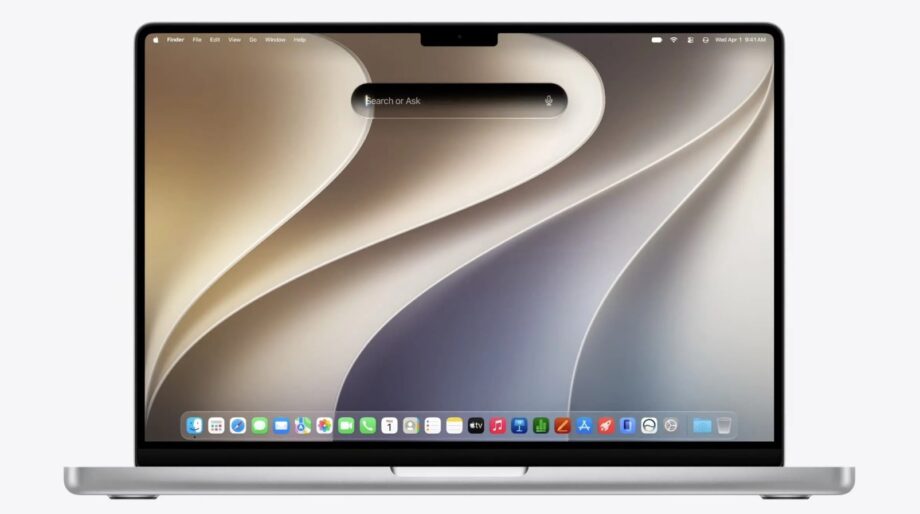
One of the major additions in macOS 27 is deeper integration of Apple Intelligence, Apple’s on-device AI platform.
Siri Gets Smarter
The updated Siri experience includes:
- A dedicated Siri application
- Continuous conversation support
- Spotlight integration using Command + Space
- Personal context awareness
- Ability to search supported emails, messages, photos, and files
- On-screen awareness for compatible tasks
- Improved interaction across supported applications
Some Apple Intelligence features may vary depending on language, account settings, and regional availability.
Spotlight and Search Receive AI Enhancements
Apple has expanded intelligent search capabilities across several built-in applications.
Updated search features include:
- Spotlight improvements
- Smarter Mail search
- Enhanced Messages search
- Improved Photos search
The Shortcuts application can also create automations using natural-language prompts, reducing the need for manual workflow creation.
Meanwhile, the Photos app gains additional AI-powered editing tools designed to simplify image enhancements.
Liquid Glass Interface Gets Refinements
Apple continues refining the Liquid Glass design language introduced in earlier beta releases.
Public Beta 2 brings:
- Better transparency controls
- Improved window readability
- Updated toolbars
- Refined sidebars
- More consistent visual appearance across applications
These changes aim to improve usability while maintaining the modern interface introduced in macOS 27.
Performance Improvements
Apple says the update also improves several everyday functions, including:
- Faster application launches
- More responsive system performance
- Improved AirDrop transfers
- Better file-sharing reliability
- General optimization across the operating system
Although these enhancements are incremental, they contribute to a smoother overall experience.
Compatible Macs
macOS 27 is available only for Apple silicon Macs.
Supported devices include:
- MacBook Air (M1 and newer)
- MacBook Pro (M1 and newer)
- iMac (Apple silicon)
- Mac mini (Apple silicon)
- Mac Studio
- Mac Pro with Apple silicon
- MacBook Neo powered by the A18 Pro chip
Apple has ended major operating system upgrades for Intel-based Macs, meaning those devices are not compatible with macOS 27.
How to Download macOS 27 Public Beta 2
Users can install the beta by following these steps:
- Visit the Apple Beta Software Program website.
- Sign in using the Apple Account linked to the Mac.
- Open System Settings.
- Select General.
- Choose Software Update.
- Click Beta Updates.
- Select macOS 27 Public Beta.
- Download and install the latest available build.
Apple recommends creating a Time Machine backup before installing beta software.
Should You Install It?
While the public beta offers early access to upcoming features, it is still pre-release software.
Apple advises installing beta versions only on secondary devices, as users may experience:
- Unexpected crashes
- App compatibility issues
- Increased battery consumption
- Device heating
- Software instability
Users who rely on their Mac for professional work, software development, content creation, or financial activities may prefer waiting for the stable release.
Outlook
With Public Beta 2, Apple continues refining macOS 27 ahead of its expected stable release. The update focuses on reliability, performance improvements, and further development of Apple Intelligence features rather than introducing major new functionality.
As Apple moves through the beta testing phase, additional updates are expected before the final version becomes available to all eligible Mac users.